 ▶ Watch the original on Instagram
From @creality_cloud on Instagram
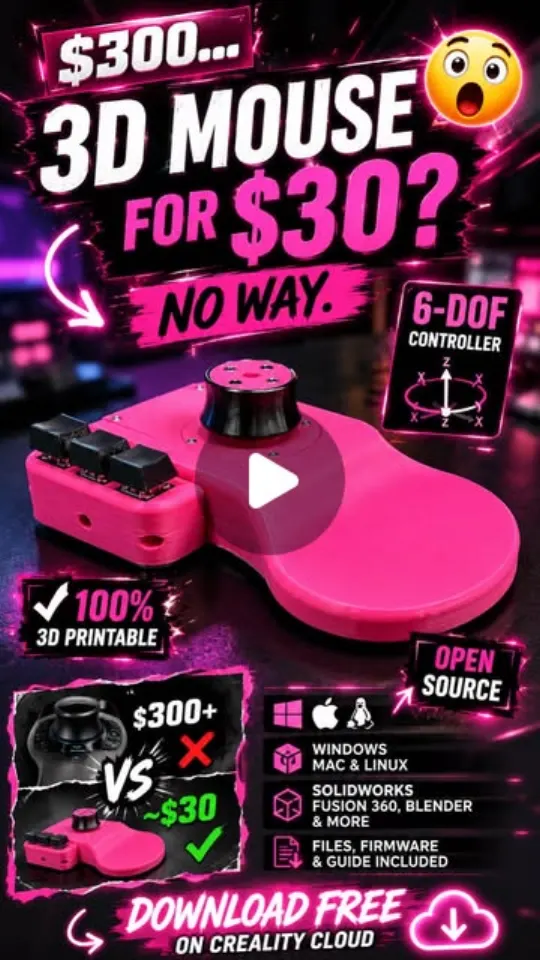
Build a $30 Open-Source 3D Mouse
This video showcases how to build a $30 open-source 3D mouse (Orbit Controller) using 3D printing, offering a cost-effective alternative to expensive commercial versions.
Key points
- Cost-effective alternative to expensive 3D mice
- Utilizes 3D printing for custom parts
- Open-source design for community collaboration
- Enhances CAD and 3D modeling workflow
Steps
- 1.Download the free Orbit Controller open-source model files.
- 2.3D print the necessary components using a printer like Creality K2.
- 3.Assemble the electronic components and printed parts.
- 4.Calibrate and configure the Orbit Controller for use with CAD software.
The video and its content belong to @creality_cloud. This card was created by ReelSave's AI from the public Instagram post, and may contain mistakes — check the original video. Creator? Ask us to remove this card
Save videos like this with ReelSave
Share any reel to ReelSave and get a card like this one — in your own library, searchable, next to everything else you save.