
iPhone & Android app
Saved reels,finally useful.
ReelSave keeps the reels and short videos you save from TikTok, Instagram and YouTube in one library — and pulls out the useful part: the recipe, the places, the key points.
Not a downloader: ReelSave saves the link, never a copy of the video.
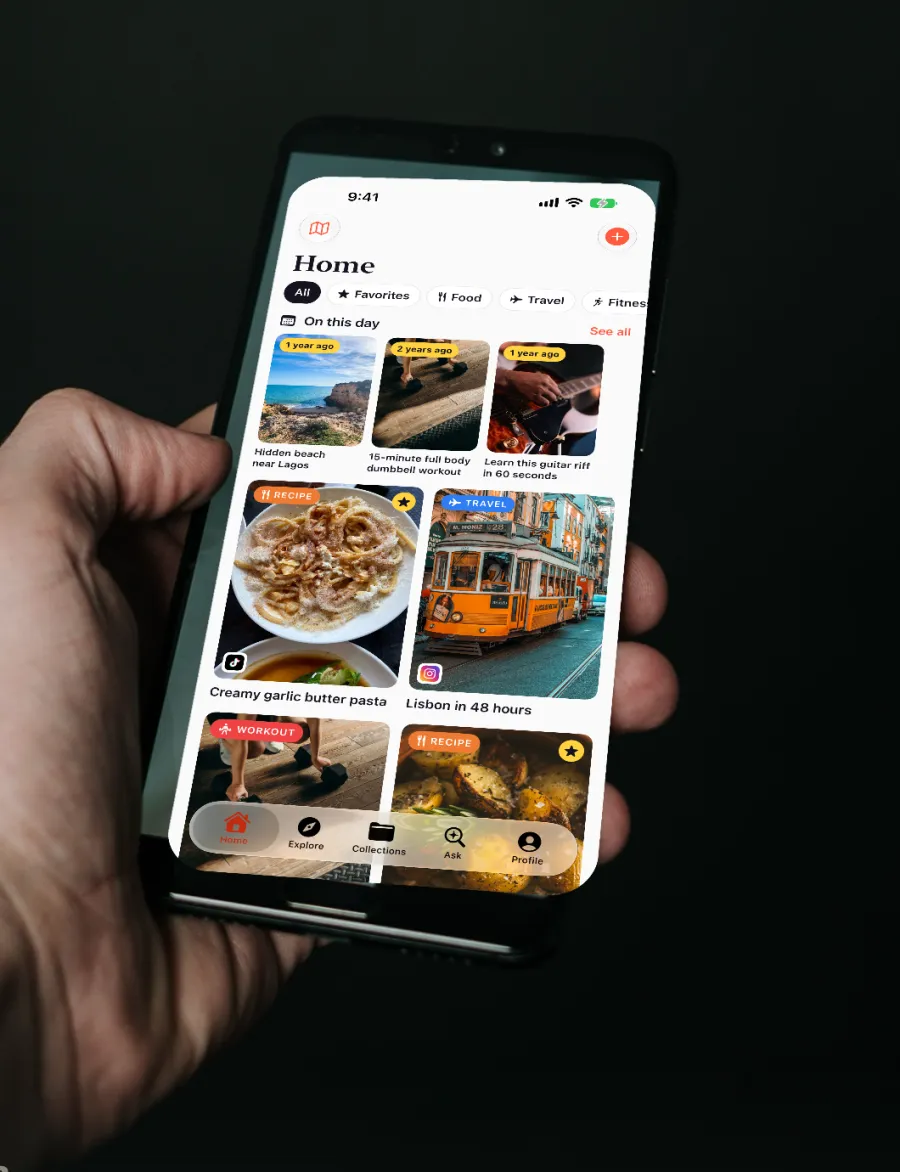
Works with TikTok, Instagram Reels, YouTube Shorts and other video links.
What happens after you save
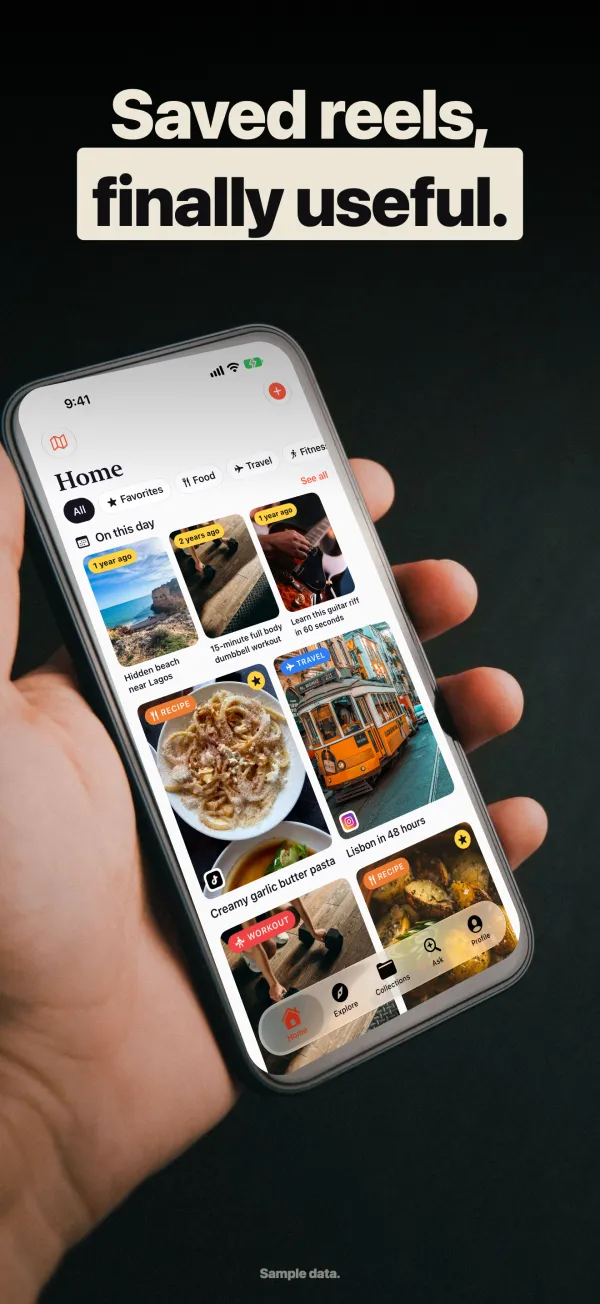
One library for every app
Everything you save lands in one place, with a clear title even when the original was just hashtags. Browse by type: recipes, trips, workouts, reviews.
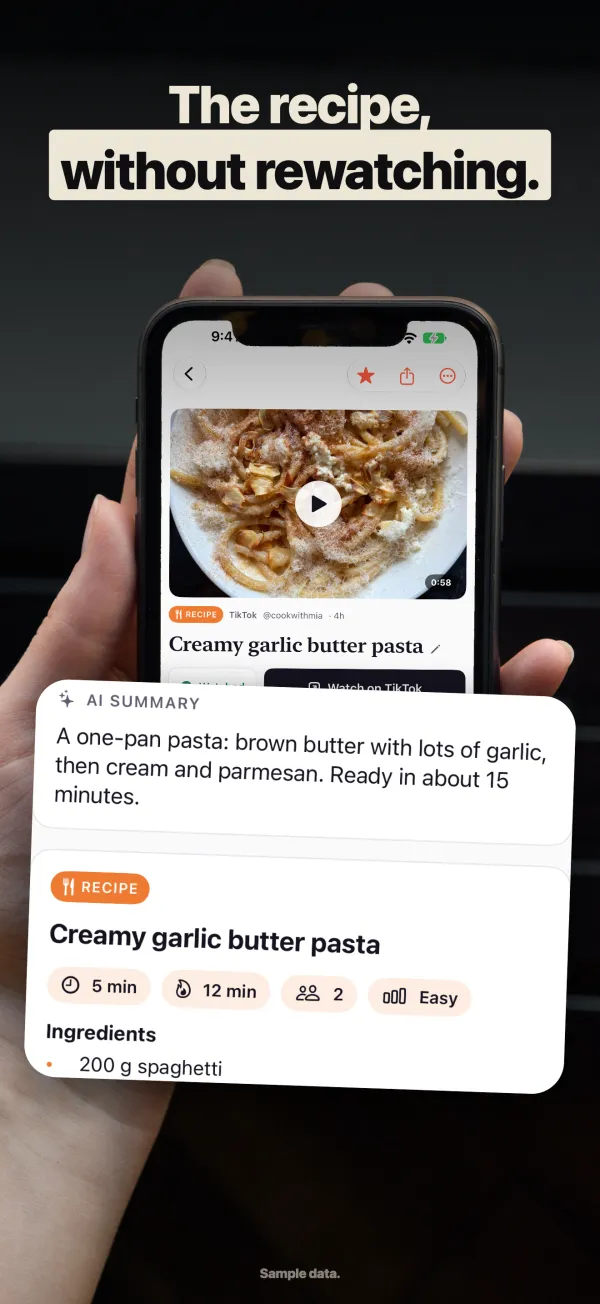
Recipes without rewatching
Save a cooking reel and get the ingredients, steps, cook time and servings. Travel videos come back as stops, budget and the best time to go.
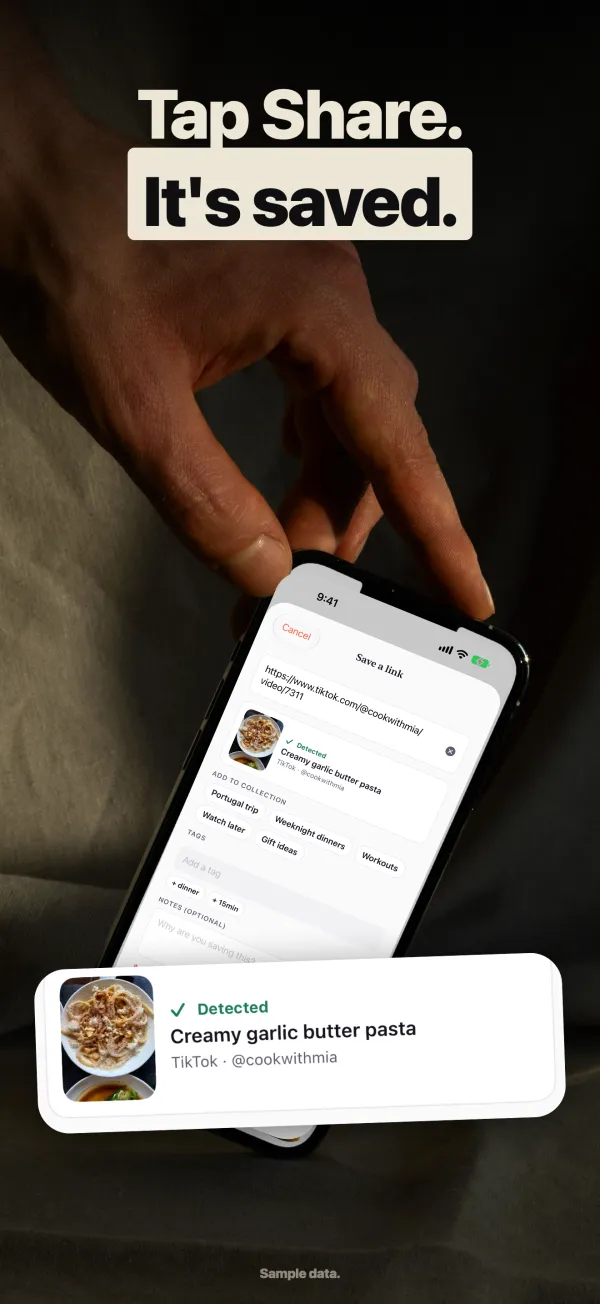
Save in one tap
Share from TikTok, Instagram or YouTube and pick ReelSave. Copied a link instead? ReelSave spots it when you open the app.
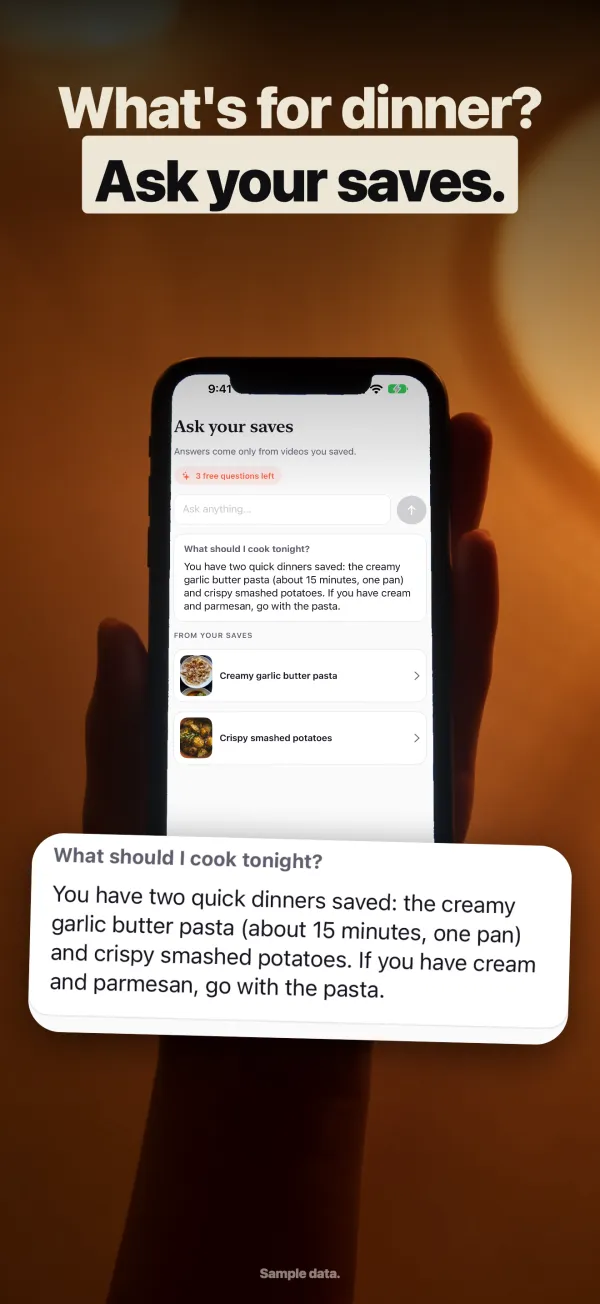
Ask your own saves
"Which pasta recipe did I save?" You get the answer from your own videos, with the source shown — not a web search.
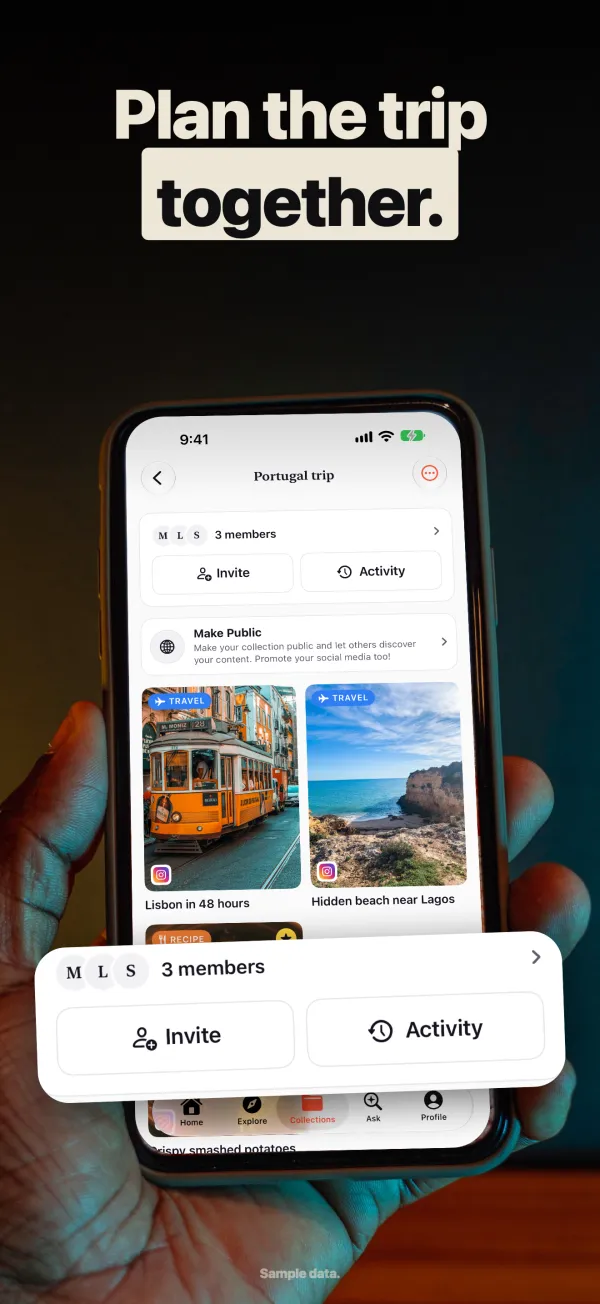
Collections, together
Make collections for recipes, trips or projects, and share them with friends and family so everyone can add to the same list.
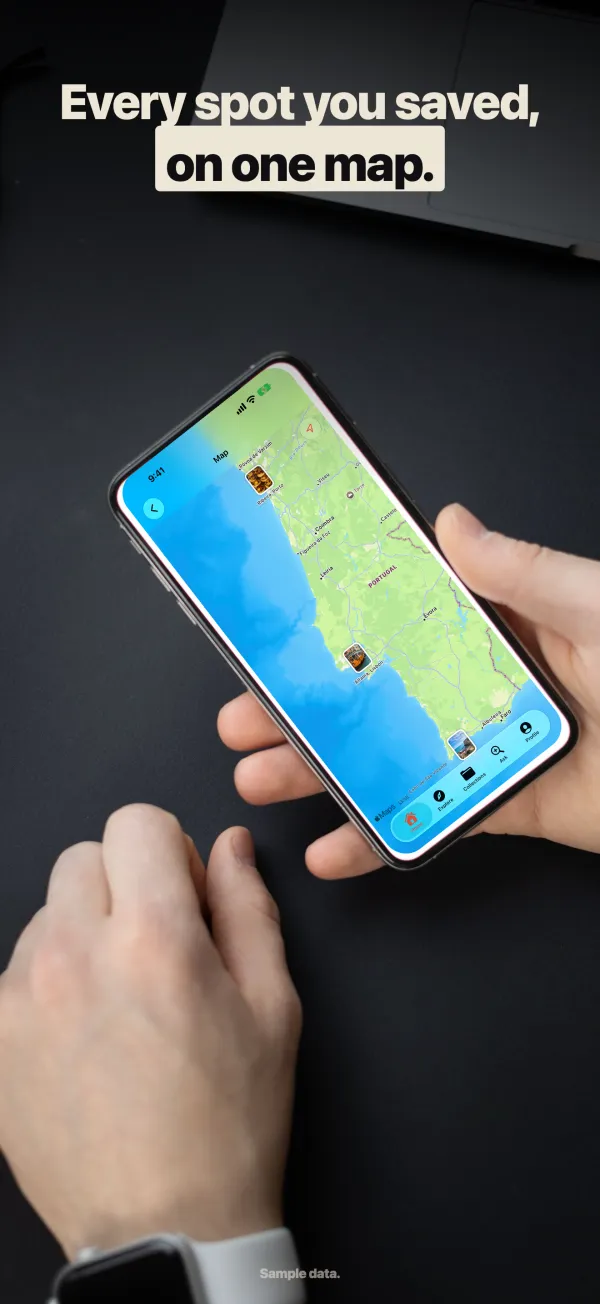
Every place on a map
Restaurants, viewpoints and shops mentioned in your videos are pinned on a map, so you can find them months later.
How it works
- 01
Share
Tap share on any reel or short and choose ReelSave. Or paste a link in the app.
- 02
ReelSave reads it
The title, category and the useful details — ingredients, places, key points — are filled in for you.
- 03
Find it again
Search, filter by type, open the map or just ask. Your saves stop disappearing into an endless list.
A bookmark app, not a downloader
ReelSave does not download or re-upload videos. It saves the link and the details it reads, and opens the original video on TikTok, Instagram or YouTube when you watch it. Sites with similar names that convert reels to MP4 or MP3 are not related to this app.
ReelSave vs. downloader sites →Pricing
Free
25 saves a month, with smart summaries, search and collections.
Premium
Unlimited saves, unlimited collections and unlimited smart summaries. Monthly or yearly, with a free trial.
Questions
What is ReelSave?
ReelSave is a free iPhone and Android app for saving reels and short videos from TikTok, Instagram and YouTube in one organized, searchable library. It reads each video and pulls out the useful part, such as a recipe's ingredients or the places in a travel video.
Is ReelSave a video downloader?
No. ReelSave saves the link and the information about the video, not the video file. When you watch, the original opens in its own app. Websites called "Reelsave" that download reels or convert them to MP3 are different products, not made by us.
Which apps can I save from?
TikTok, Instagram Reels, YouTube Shorts and other video links. On iPhone and Android you save straight from the share sheet; you can also paste a link inside ReelSave.
How is it different from Instagram's Saved folder or TikTok Favorites?
Those only keep videos from their own app, and you can't search what's inside them. ReelSave keeps saves from every app together, adds a clear title, the recipe or places, notes and tags, and lets you search or ask across all of it.
Is ReelSave free?
Yes. The free plan includes 25 saves a month. Premium removes the limits on saves, collections and smart summaries.
What happens if the original video is deleted?
Your saved card keeps its title, notes, tags and the details ReelSave pulled out, but the video itself can no longer be played because ReelSave never stores a copy.
Guides
- How to save reels to watch later (and actually find them again)
The quickest way to save Instagram reels, TikToks and YouTube Shorts to watch later, keep them in one place and find them again by searching what's inside.
- A better alternative to Instagram's Saved folder
Instagram Saved only holds Instagram posts and can't be searched by content. Here's how to keep saved reels from Instagram, TikTok and YouTube organized and searchable.
- How to organize saved TikToks and Instagram reels in one place
Keep saved TikToks, Instagram reels and YouTube Shorts together in one organized library with collections, categories, tags and search.
- How to save recipes from reels and TikToks without rewatching
Turn cooking reels and TikToks into recipes you can read: ingredients, steps, cook time and servings, saved in one searchable place.
- How to save travel spots and restaurants from reels on a map
Save places from travel reels and TikToks — restaurants, viewpoints, shops — and see them pinned on a map when you get there.
- ReelSave app vs. "Reelsave" downloader websites: what's the difference?
ReelSave is an iPhone and Android app for saving and organizing reels, not a website that downloads reels or converts them to MP4 or MP3.
Stop losing the reels you meant to come back to.
Free on iPhone, iPad and Android.